Croppy


Croppy is a desktop app for everyday video chores — cropping, trimming, joining, and compressing — turning the ffmpeg flags nobody wants to type into a point-and-click window: draw on a frame, pick a quality, and click Add Job to Queue.
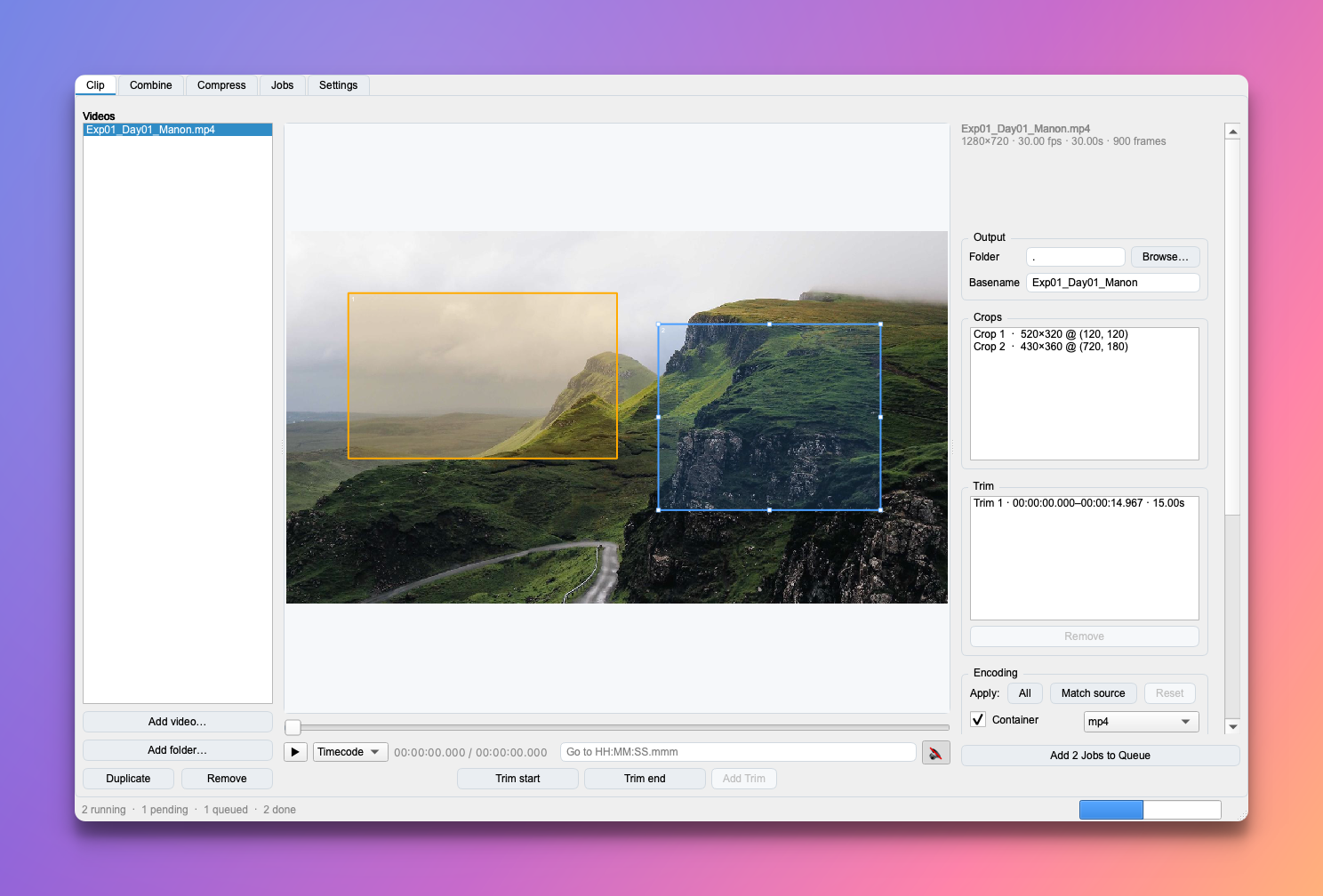
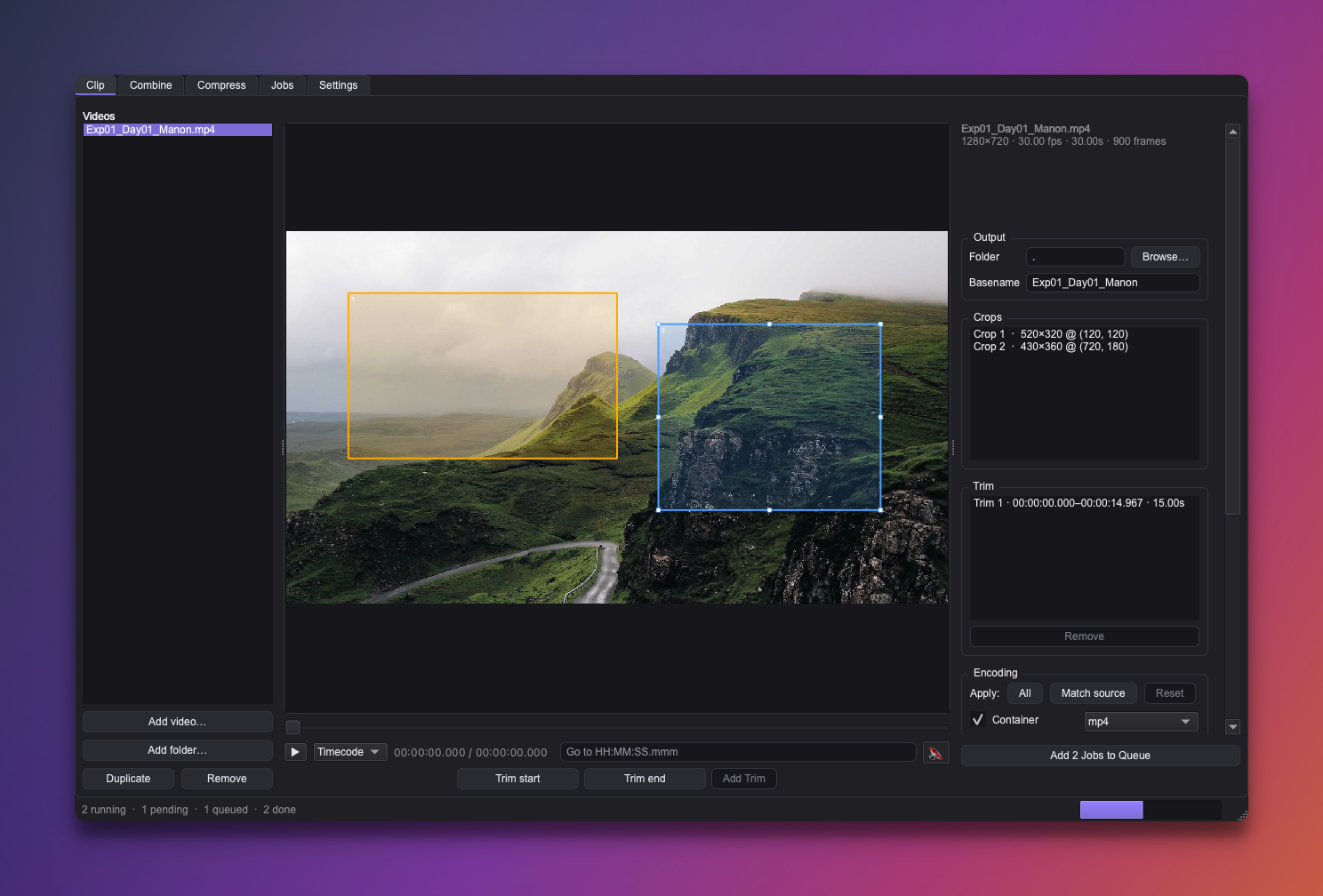
Free & open source
Croppy is MIT-licensed and developed in the open — free to use, read, fork, and build on, with no strings attached. The code lives at github.com/roaldarbol/croppy.
What's in the window
Croppy is organised into a few tabs that share one Encoding panel design and one progress strip along the bottom you can watch and cancel from:
- 🎬 Clip — draw crop boxes and/or set time ranges (trims) on a video and get one file per combination.
- 🗜️ Compress — re-encode any number of videos smaller in one go.
- 🔗 Combine — join videos, in the order you choose, into one file.
- ▶️ Jobs — everything you've staged from any tab; start, cancel, and clear from here.
- ⚙️ Settings — the default encoding every tab starts from.
The ideas that run through it
- 📥 Stage, then run. Each tab's Add Job to Queue button stages work on the Jobs tab; you assemble a batch and fire it off when you're ready. A slim strip at the bottom always shows what's happening, from whichever tab you're on.
- 🎛️ Encoding is per item. The Settings tab holds the default; everything you queue carries its own copy, so you can queue the same video twice with small differences and compare. By default Croppy encodes on your graphics card when it can — which is much faster — and on the CPU otherwise.
- ✅ Apply only what you mean to. Every encoding setting can be left to inherit from the source instead of being forced — see Encoding & presets.
- 🏷️ You name the output. Every tab shows a sensible default name and lets you change it — see Output names & the Jobs queue.
New here?
Start with Install & launch, then open the Clip tab walkthrough — it covers the parts (preview frame, crops, trims, output) that the other tabs reuse.